What to Do When Banking or Government Apps Block ReVanced, Morphe, or MicroG
Some banking apps, digital wallets, and government ID apps have recently started refusing to open if they detect ReVanced, Morphe, or MicroG (GmsCore) on your phone. Instead of letting you log in, they show a security screen asking you to uninstall those apps first.
Your phone isn't compromised, and you don't need to give up ad-free YouTube. Here is why those apps trigger a warning and how to fix it in two minutes.
How Banking Apps Detect ReVanced and MicroG
Banking apps don't actually inspect what your video player does. Instead, the security toolkits inside them just check a list of known Package Names (the internal ID every Android app has, like app.revanced.android.youtube or app.revanced.android.gms).
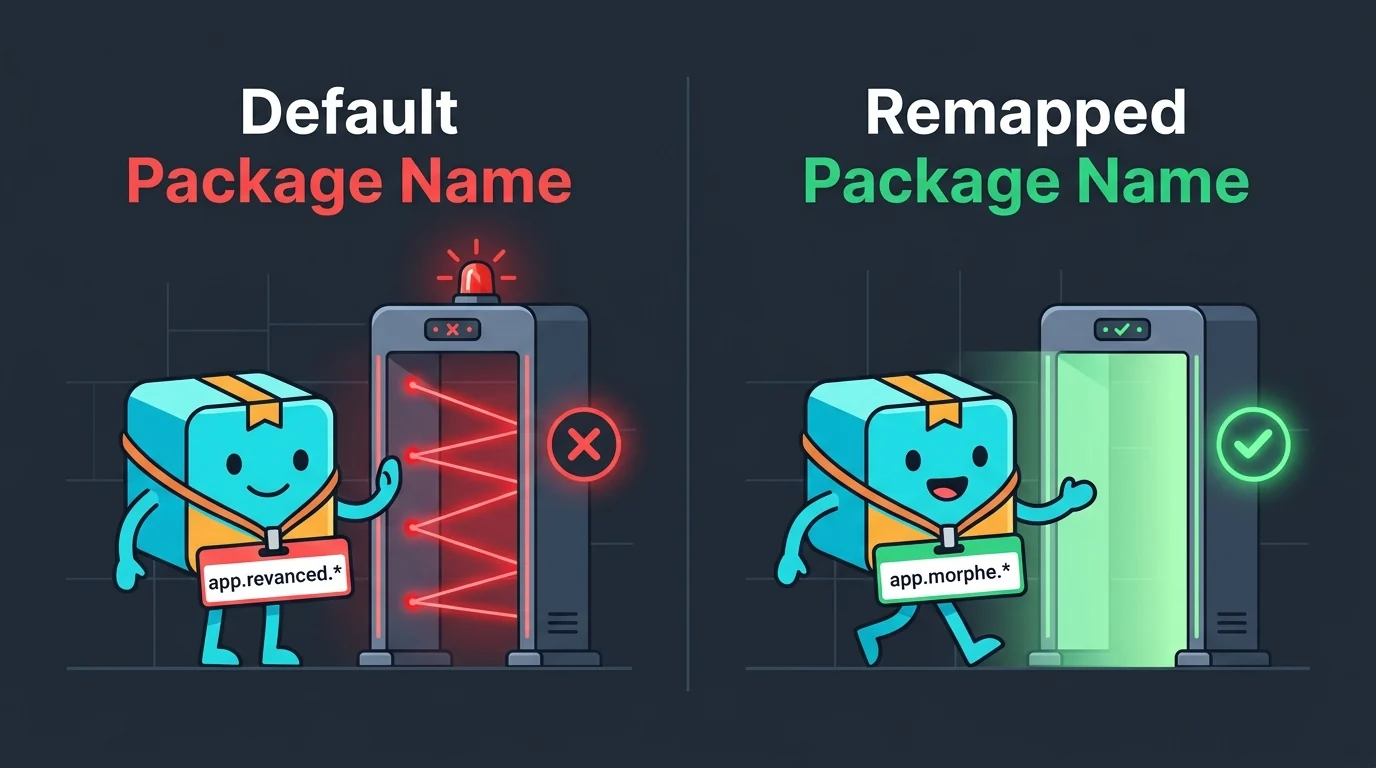
Because millions of people use ReVanced and MicroG, their default app.revanced.* package names were added to static blocklists used by third-party security SDKs. When your banking app checks its blocklist and spots app.revanced.android.gms, it blocks you from logging in.
Why You Need to Remap Both Apps Together
Both ReVanced and Morphe have a built-in patch to change YouTube's package name, for example to app.morphe.android.youtube. However, even Morphe still uses the default app.revanced.android.gms package name for MicroG so users don't have to sign in again. As long as MicroG keeps that old name, your banking app will still complain.
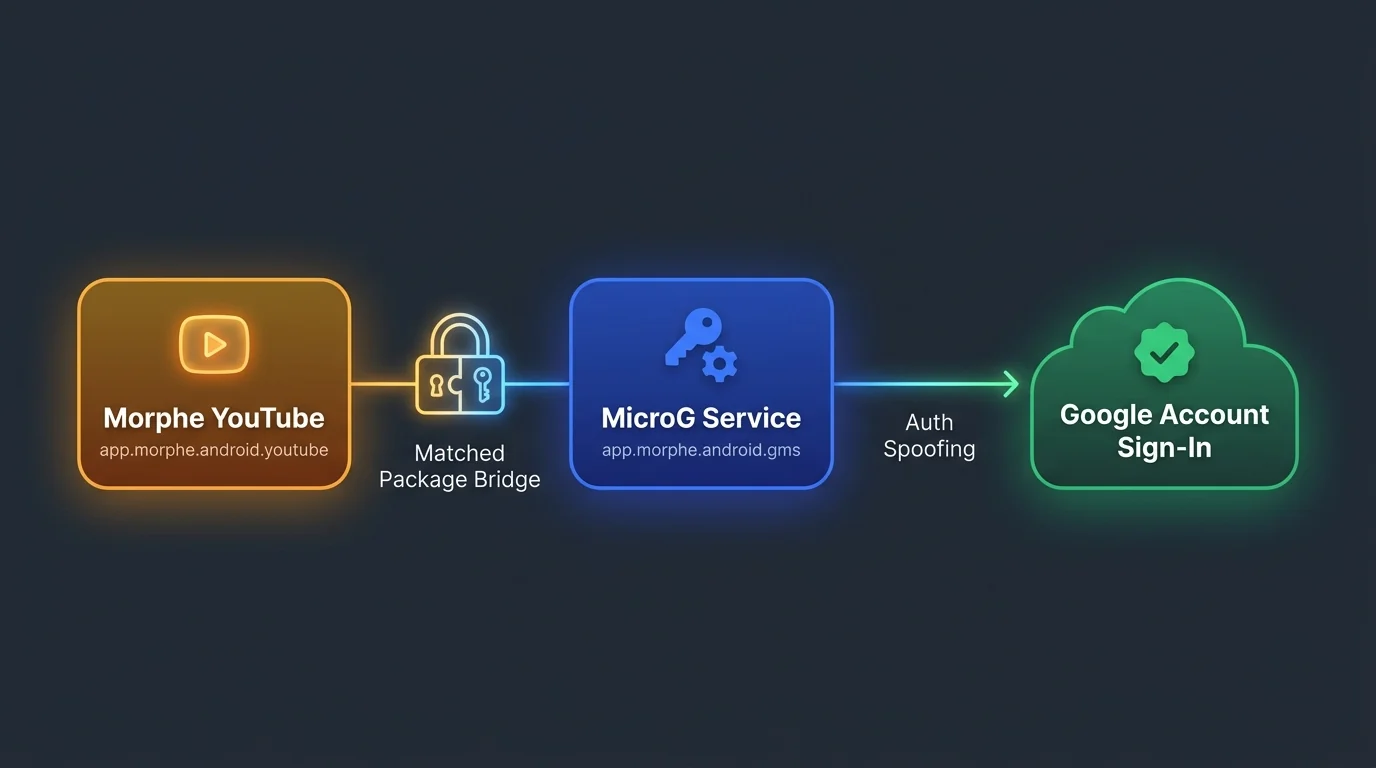
You also can't just rename the MicroG APK with a basic APK editor on your phone:
- YouTube and MicroG are paired: If MicroG gets a new package name (
app.morphe.android.gms), the YouTube patcher also needs to be updated so YouTube knows where to find it. - Google sign-in spoofing: MicroG still has to introduce itself to Google's servers as official Google Play Services (
com.google.android.gms) when requesting login tokens, otherwise YouTube gets stuck on "Please check your network connection."
How to Fix It (Prebuilt APKs)
Since both Morphe and MicroG-RE are open-source, the clean fix is to change the base package name in MicroG-RE's source code (build.gradle and auth spoofing handlers), point Morphe's GmsCoreSupportPatch to the new package name, and build both together.
We have already built and tested a matching pair (app.morphe.android.youtube + app.morphe.android.gms) so you don't have to compile anything yourself:
- Uninstall your old MicroG (
app.revanced.android.gms) and any older ReVanced YouTube app that triggered the warning. - Install MicroG RE (Custom Package) from the orange button below, open it once, and sign in to your Google account.
- Install Morphe YouTube (Custom Package) from the blue button below.