Patching YouTube yourself is still the most transparent way to get a modified app: you download the stock APK, you run the patcher on your own machine, and you know exactly what went in. What has changed is nearly everything about how you do it.
This guide was originally written in 2024, against ReVanced CLI 4, a .jar patch bundle and a separate integrations APK. All three are gone. Here is the 2026 version, covering both flavours people actually use today.
What changed since 2024
| 2024 | Today |
|---|---|
ReVanced CLI 4 + revanced-patches.jar + revanced-integrations.apk | One patcher jar + one patch bundle. Integrations were folded into the bundle as "extensions" in the v5 patches and no longer exist as a file |
--patch-bundle= and --merge= | -p for the bundle, and the APK as the last argument |
| One project: ReVanced | Two: Morphe (the same team, new name, actively released) and the legacy ReVanced v6 line |
| Patches published on GitHub | Morphe on GitHub; ReVanced patches moved to GitLab and no longer attach a built bundle to releases |
If you want the short answer: use Morphe. It is the continuation of the project, it publishes a ready-made bundle, and it supports newer YouTube builds. The legacy ReVanced path is documented below for people who specifically want the v6 patches.
What you need
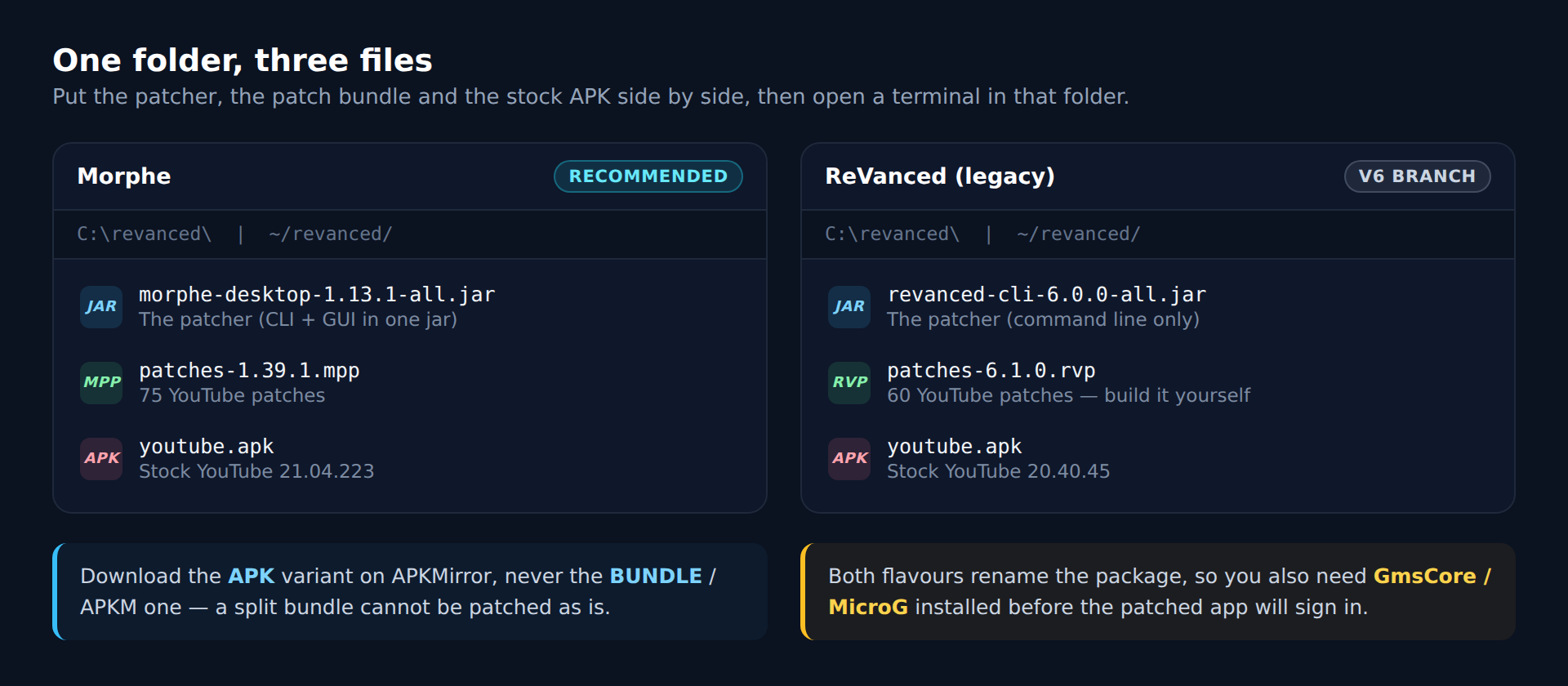
Four things, and they all go in one folder:
- A Java runtime — 21 or newer for Morphe, 11 or newer for ReVanced CLI. Install 21 either way.
- The patcher —
morphe-desktop-1.13.1-all.jar, orrevanced-cli-6.0.0-all.jarfor legacy ReVanced. - The patch bundle —
patches-1.39.1.mpp(Morphe) orpatches-6.1.0.rvp(ReVanced). - The stock YouTube APK, at a version the bundle supports.
Step 1: Java
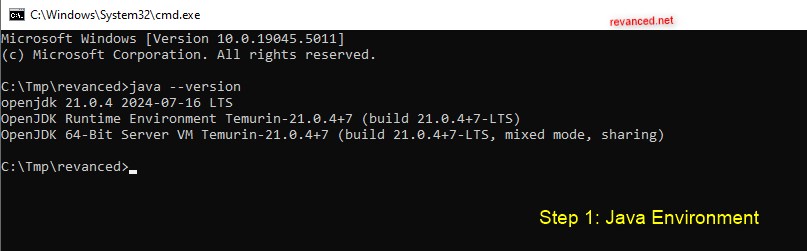
Open a terminal and run:
java -version
If you get a version number of 21 or higher, skip ahead. If the command is not found, install the Temurin JRE 21 for your platform, then close and reopen the terminal so the new PATH takes effect.
Step 2: The patcher and the patch bundle
Morphe publishes both pieces as release assets:
- Patcher: MorpheApp/morphe-desktop releases — take
morphe-desktop-*-all.jar. The same jar is also a GUI: double-click it instead of using the terminal and you get a drag-and-drop window, which is the easier path for a first run. - Bundle: MorpheApp/morphe-patches releases — take
patches-*.mpp.
Legacy ReVanced is only half as convenient:
- CLI: ReVanced/revanced-cli releases — take
revanced-cli-*-all.jar. - Bundle: the patches now live on GitLab, and the releases there carry source archives only — no
.rvp. You either build it yourself (./gradlew :patches:buildAndroid, which needs the Android SDK and a GitHub token withread:packages, and leaves the bundle inpatches/build/libs/), or you let ReVanced Manager fetch it on-device. There is no official prebuilt.rvpto download on a desktop.
Step 3: The right YouTube APK
Patches are compiled against specific app versions. Give the patcher a version nobody built for and it will skip almost everything.
- Morphe patches 1.39.1 supports YouTube 21.04.223 (recommended), 20.51.39, 20.31.42 and 20.21.37, plus 21.28.204, 21.31.523 and 21.32.2 marked experimental.
- ReVanced patches 6.1.0 supports YouTube 20.40.45 (recommended), 20.37.48, 20.31.42, 20.26.46, 20.21.37 and 20.14.43.
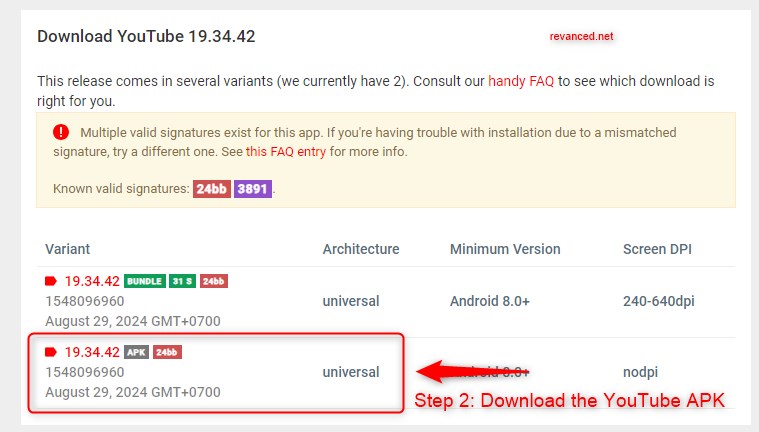
Download it from APKMirror. On the release page, pick the variant labelled APK, not the one labelled BUNDLE — a split bundle is several APKs in a wrapper and cannot be patched as it is. Rename what you downloaded to youtube.apk.
Step 4: Run the patcher
Put the patcher, the bundle and youtube.apk in one folder, open a terminal in that folder, and run:
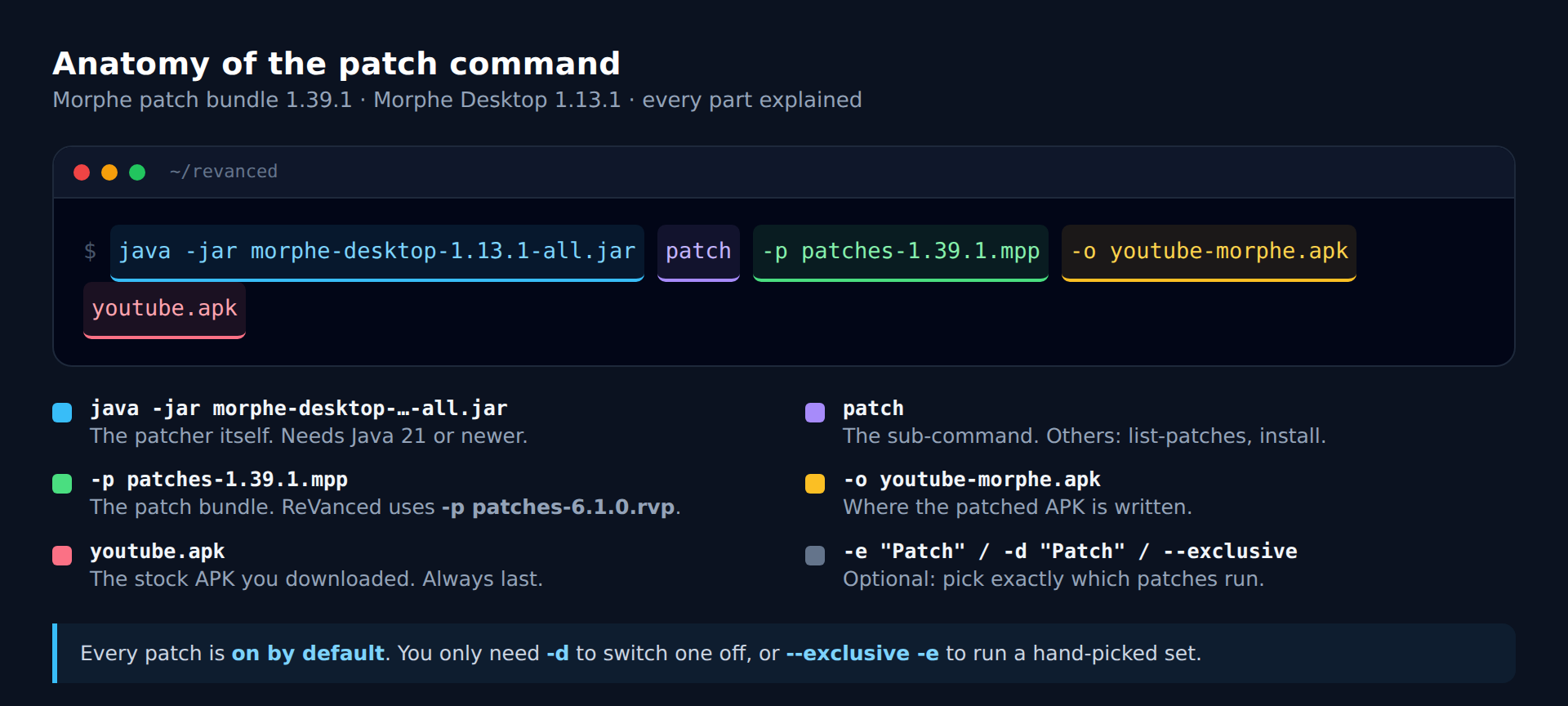
java -jar morphe-desktop-1.13.1-all.jar patch -p patches-1.39.1.mpp -o youtube-morphe.apk youtube.apk
Or, for legacy ReVanced:
java -jar revanced-cli-6.0.0-all.jar patch -p patches-6.1.0.rvp -o youtube-revanced.apk youtube.apk
Both commands are the same shape, and every part of it is worth knowing:
Patching takes a few minutes and prints one line per patch. When it finishes you have your patched APK next to the other files.
Step 5: Choose your own patches
Every YouTube patch in both bundles is enabled by default — 75 of them in Morphe, 60 in ReVanced. You only touch the patch list when you want something different from that default, and there are two ways to do it:
- Turn a few things off. Keep the defaults and disable by name:
-d "Custom branding" -d "SponsorBlock". - Turn almost everything off. Use
--exclusiveand then enable only what you list:--exclusive -e "Hide ads" -e "GmsCore support" -e "Spoof video streams".
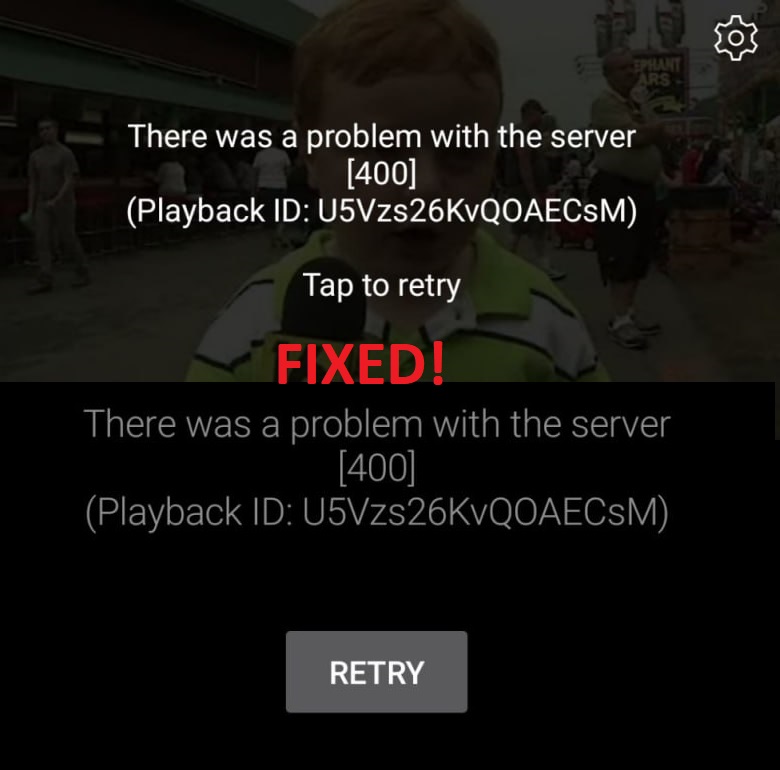
Two patches are effectively mandatory on a non-root install. GmsCore support is what lets the app run under its own package name without Google Play Services, and Spoof video streams is what keeps playback working. Leave either out and you get an app that will not sign in, or one that shows a spinner instead of a video.
Some patches also take options, passed with -O:
java -jar morphe-desktop-1.13.1-all.jar patch -p patches-1.39.1.mpp -e "Custom branding" -OcustomName="YouTube Dark" -o youtube-morphe.apk youtube.apk
Rather than typing all of that by hand, use the interactive builder at the bottom of this page: tick the patches you want, and it writes the exact command for the flavour and the platform you are on.
Step 6: Install it
Copy the patched APK to your phone and install it. Both flavours rename the package — app.morphe.android.youtube or app.revanced.android.youtube — so the patched app installs beside the official YouTube app instead of replacing it, and Play Store updates cannot touch it.
That rename is also why you need GmsCore / MicroG installed before you can sign in. Install it first, open it once and grant battery optimisation exemption, then open your patched YouTube.
When something goes wrong
- "Incompatible with version …" on almost every patch. Your APK version is not in the supported list. Get a supported version, or add
--forceto patch anyway — it often works on a slightly newer build, and sometimes it does not. - The app installs but will not sign in. GmsCore/MicroG is missing, or it has not been opened once after install.
- Videos do not play. You disabled Spoof video streams, or the bundle is older than YouTube's current server behaviour — update the bundle.
- "App not installed" on the phone. An older patched build with the same package name is still there. Uninstall it first.
- A
BUNDLEfile downloaded from APKMirror. Download the plain APK variant instead.
Or skip all of it
Self-patching is worth doing once, if only to see that there is no magic in it. But the output of these exact commands is what we build and publish automatically: Morphe YouTube and YouTube ReVanced are the same patches applied by the same tools, on every release, so you can have the result without the terminal.