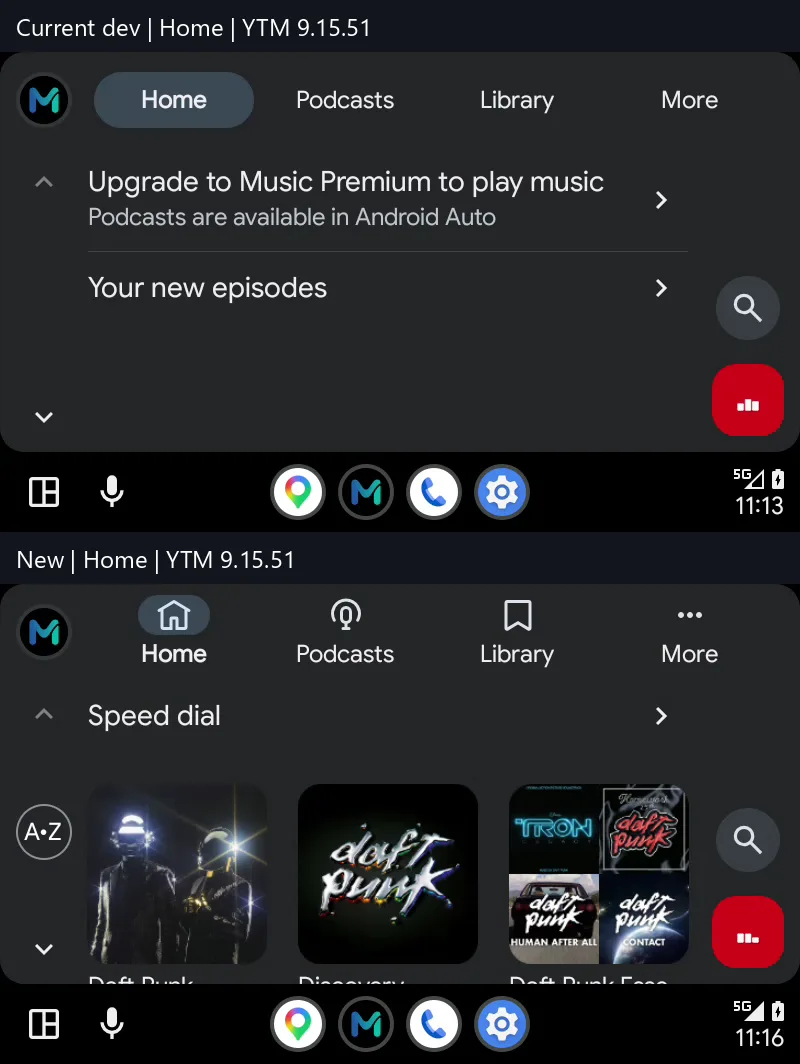
If you have ever plugged your phone into the car and opened YouTube Music without Premium, you know the screen: "Upgrade to Music Premium to play music", and a Home tab that only lists podcast episodes. Older YouTube Music mods got the app past Android Auto's certificate check, but most of what you saw in the car was still empty.
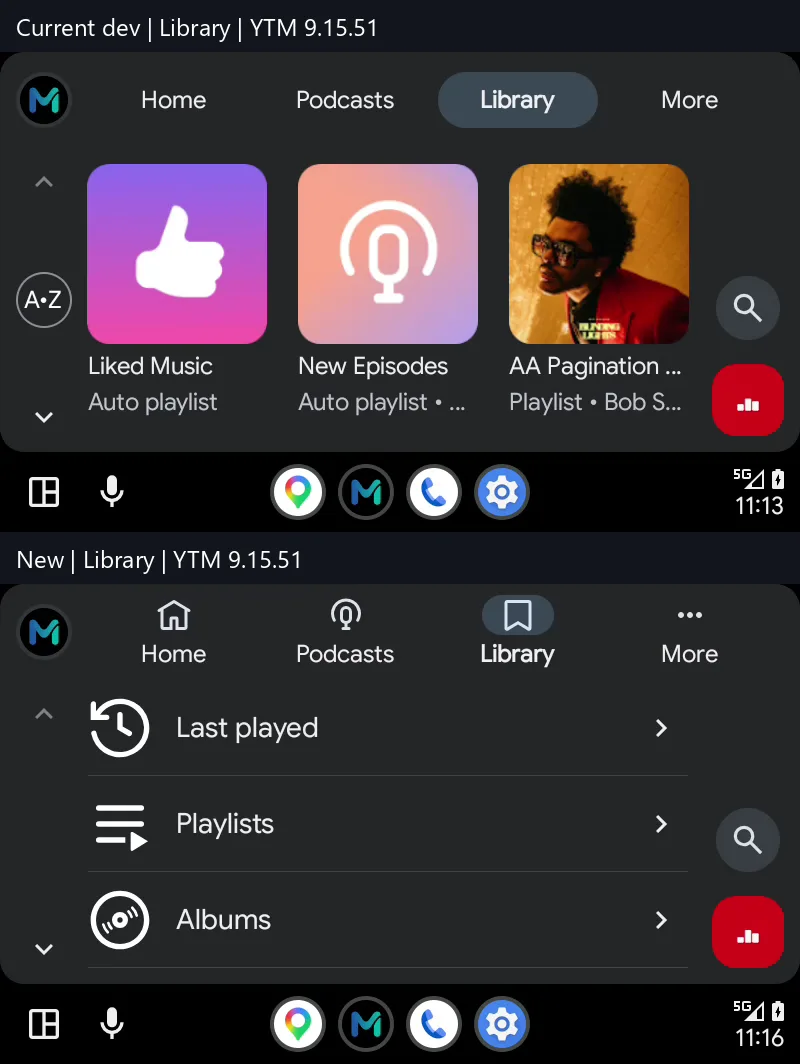
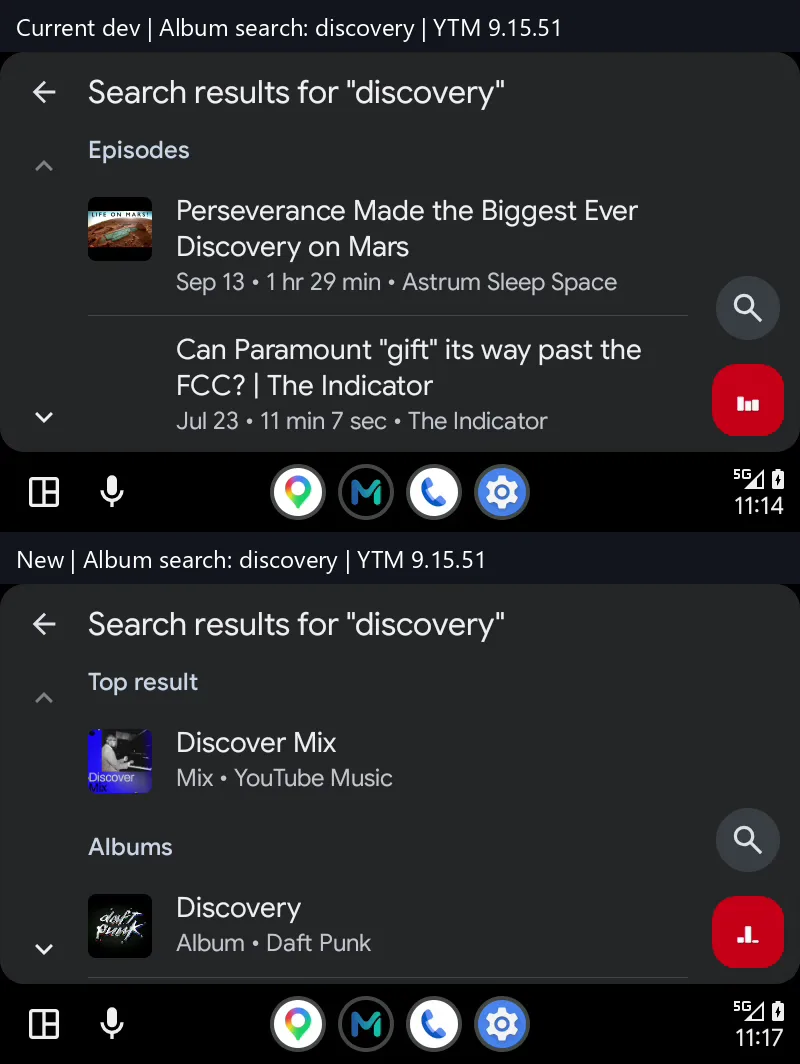
That changes now. ReVanced YouTube Music and Morphe YouTube Music ship a rebuilt Android Auto patch that gives the car the same Home feed, Library and Search you have on your phone — and every item plays.
Everything is collected on one page: YouTube Music on Android Auto.
What's new in Android Auto
The patch now answers Android Auto with the same requests that power the phone app and converts the results into items the car screen can show and play.
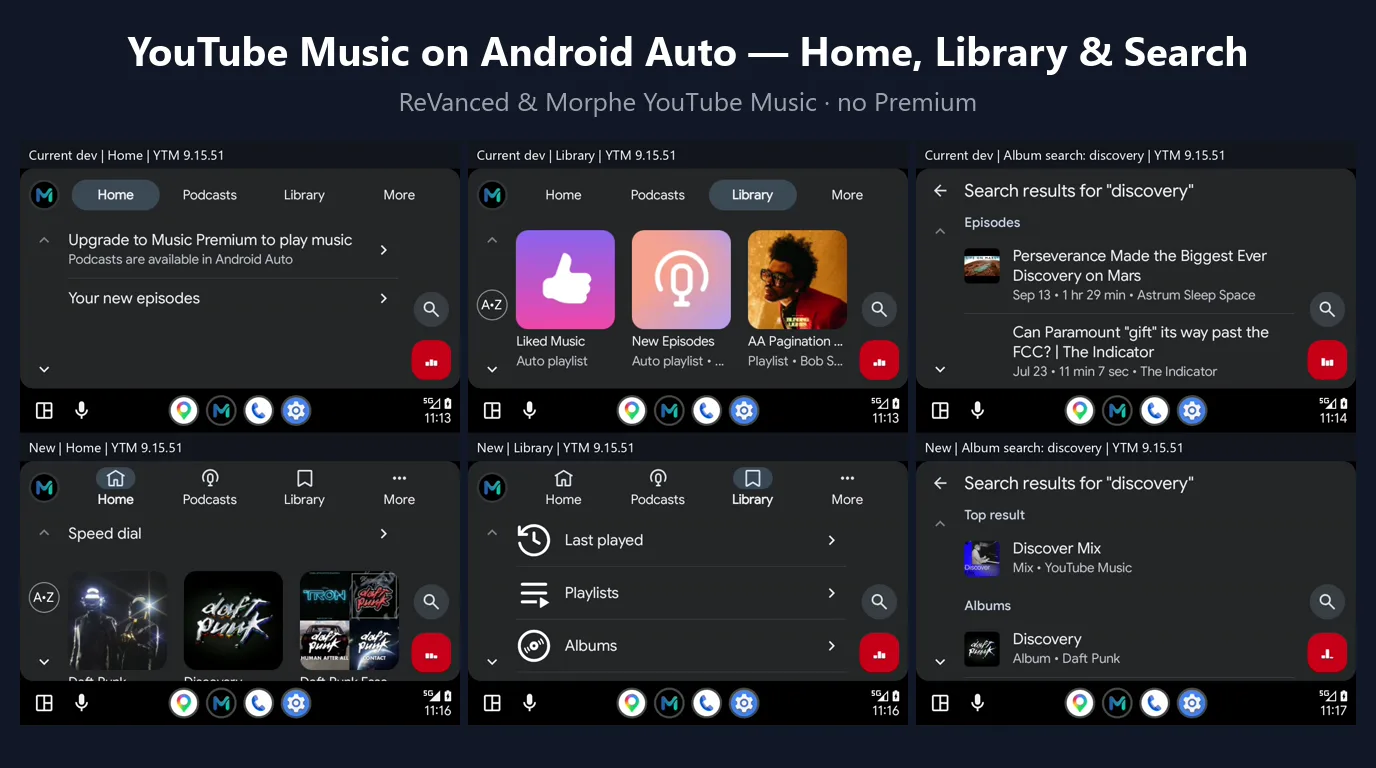
Home
- Speed dial with your most played artists, albums and playlists, instead of the "Upgrade to Music Premium" banner
- Music recommendations with playable previews
- Expandable collections that look like native Android Auto
Library
- Reorganised into Last played, Playlists, Albums, Songs, Artists, Subscriptions and Podcasts
- Your uploaded music shows up under Albums, Songs and Artists
- Saved podcast shows open into their episodes
Search
- One search over music, your uploads and podcasts
- A top result plus grouped categories
- Tap a result and it plays directly
Tab icons and collection layouts were also updated to match native Android Auto, so it no longer looks like a half-supported app.
The screenshots below compare the previous build (top) with the new one (bottom) on the Home, Library and Search screens.
Credits
This is the work of zappybiby, who first added the Android Auto patch to Morphe in morphe-patches #3341, fixed large collections such as Last played getting stuck on YouTube Music 9.15 in #3849, and added Home, Library and Search in #3852. It is part of the morphe-patches v1.48.0 development builds, and our builds pick it up automatically.
How to set it up
- Install MicroG RE if you are not rooted, and sign in to your Google account.
- Install ReVanced YouTube Music or Morphe YouTube Music. It installs over an older build of the same app.
- Android Auto hides apps not installed from the Play Store. In Android Auto settings tap Version about ten times, open Developer settings and enable Unknown sources.
- Connect to your car. YouTube Music shows up with Home, Podcasts, Library and Search.
The patch is on by default, so there is nothing to toggle inside the app.
Known limitations
- Playlist edits, likes and saved shows made on the phone take about 10–15 seconds to reach the car.
- A changed playlist cover may only show after Android Auto restarts.
- A large Library loads a little slower than it does with Premium.
Questions about Premium, root or app versions are answered in the FAQ on the YouTube Music Android Auto page.
Compiled by the vanced.to team.