1. Pick a proxy
Choose any server below — they're sorted by fastest ping first.
2. Click Connect
Hit the blue Connect button and Telegram opens automatically.
3. Done!
The proxy is applied instantly. Enjoy unrestricted Telegram.
Available Proxy Servers










No proxies match your search.
On Android?
A proxy link opens straight in the Telegram app. If you don't have it installed — or want the patched build with ads removed and Pro features unlocked — grab the modded APK from this site.
Download Telegram (Morphe patches)Where this list comes from
The servers above are collected and health-checked by telexy.net, a public directory of free proxies and VPN configs. It also lists other protocols:
Why Use MTProto Proxies?
Enhanced Security
- End-to-end encryption for all communications
- Protocol designed specifically for Telegram
- Traffic disguised to resist deep-packet inspection
Bypass Restrictions
- Access Telegram in restricted regions
- Circumvent network firewalls
- Maintain communication freedom
How to Connect
Quick Connect (Easiest)
Click the Connect button next to any proxy above. If Telegram is installed it opens and configures the proxy automatically.
Tip: Works best on mobile and desktop with Telegram installed.
Copy & Paste
- Click Copy next to your preferred proxy
- Open Telegram and go to Saved Messages
- Paste the link and send it
- Tap the link to apply the proxy
Manual Setup (Advanced)
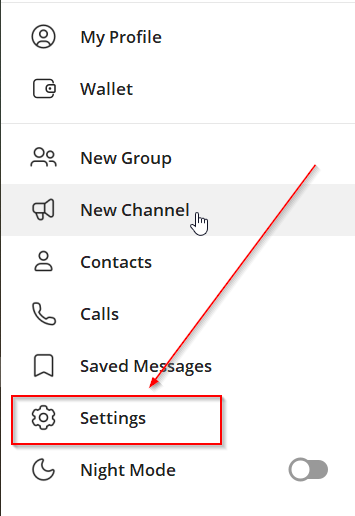
Navigate to the Settings menu in your Telegram app
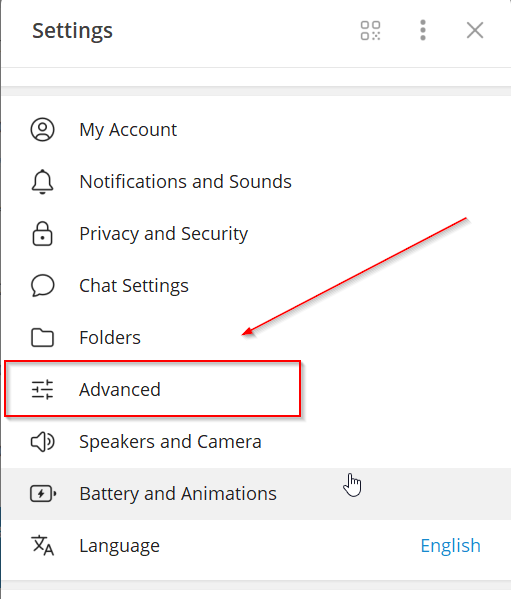
Look for "Advanced" or "Data and Storage"
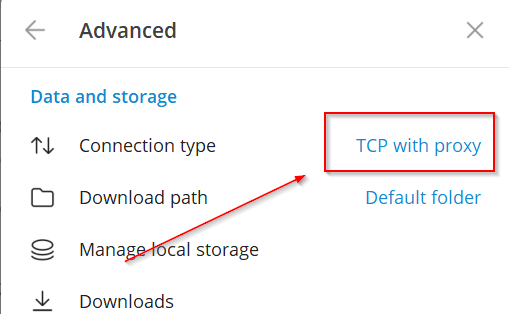
Find and tap "Connection Type" or "Proxy Settings"
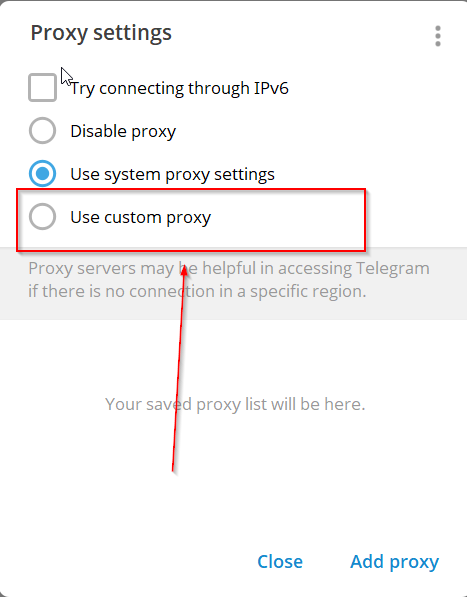
Choose the "Use Custom Proxy" option
Choose "MTProto" as your proxy type
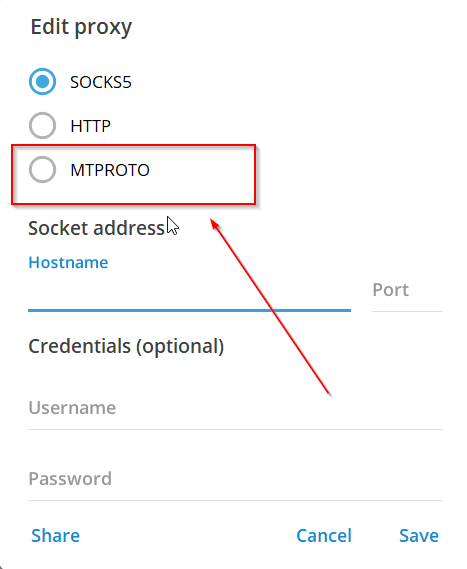
Host
Copy the server address from a card above
Port
Enter the listed port number
Secret
Use the copy button for the full secret
Tap Save and enjoy secure, unrestricted access to Telegram.