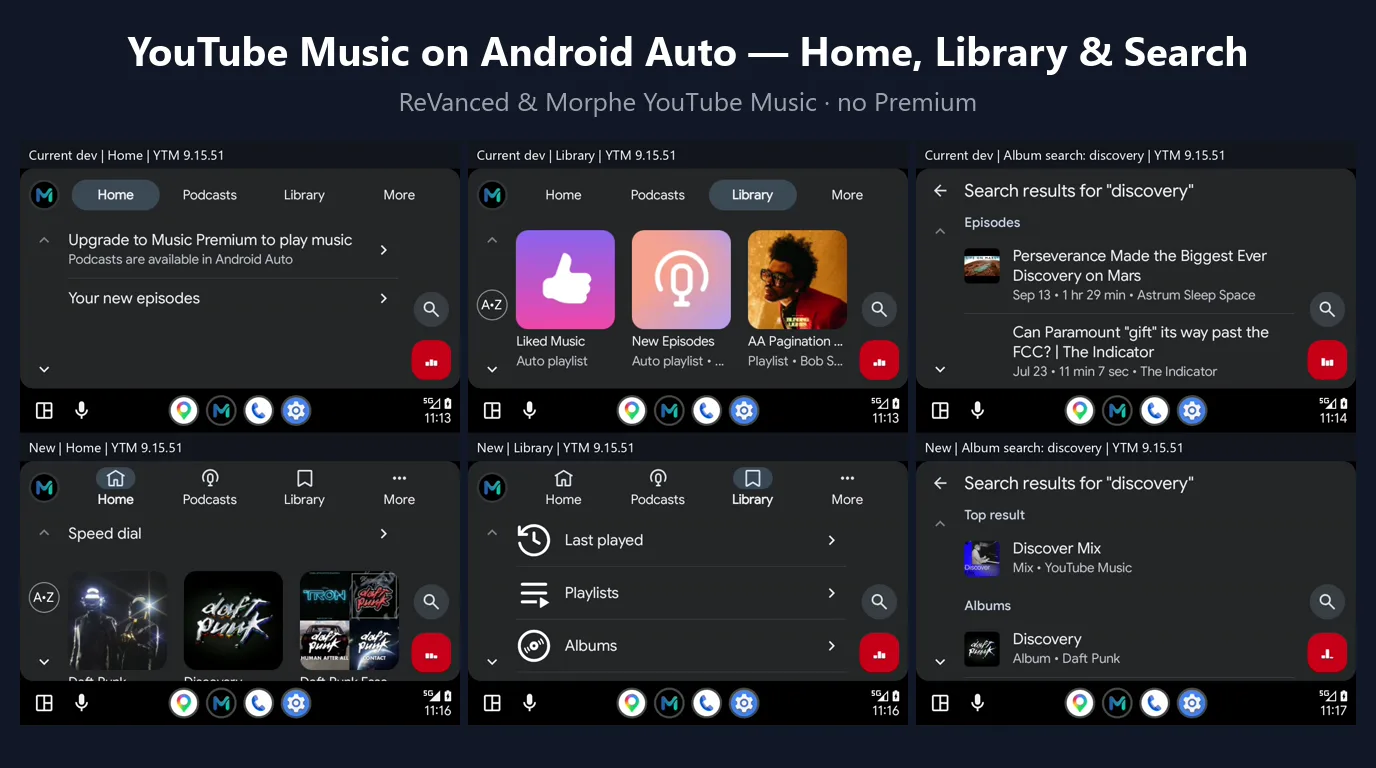
Without Premium, stock YouTube Music in Android Auto offers podcasts only and greets you with "Upgrade to Music Premium to play music". Older YouTube Music mods only bypassed Android Auto's certificate check, which got the app onto the car screen but left most of it empty.
ReVanced and Morphe YouTube Music now ship a rebuilt Android Auto patch: it answers Android Auto with the same requests that power the phone app, so the car gets your real Home feed, your whole Library and a working Search — and every item plays.
What works in the car
Home
- Speed dial with your most played music
- Music recommendations with playable previews
- Expandable collections, like the phone app
Library
- Last played, Playlists, Albums, Songs, Artists
- Subscriptions and saved podcast shows with episodes
- Your uploaded music under Albums, Songs and Artists
Search
- Music, uploads and podcasts in one search
- Top result plus grouped categories
- Direct playback from the results
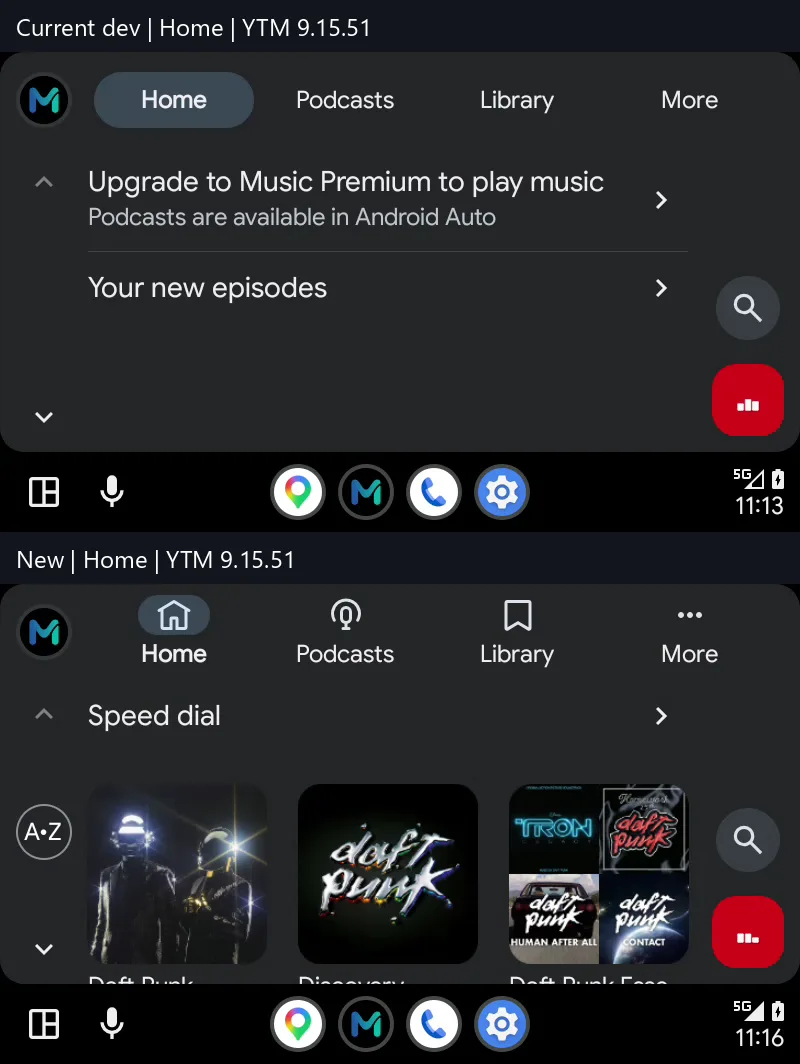
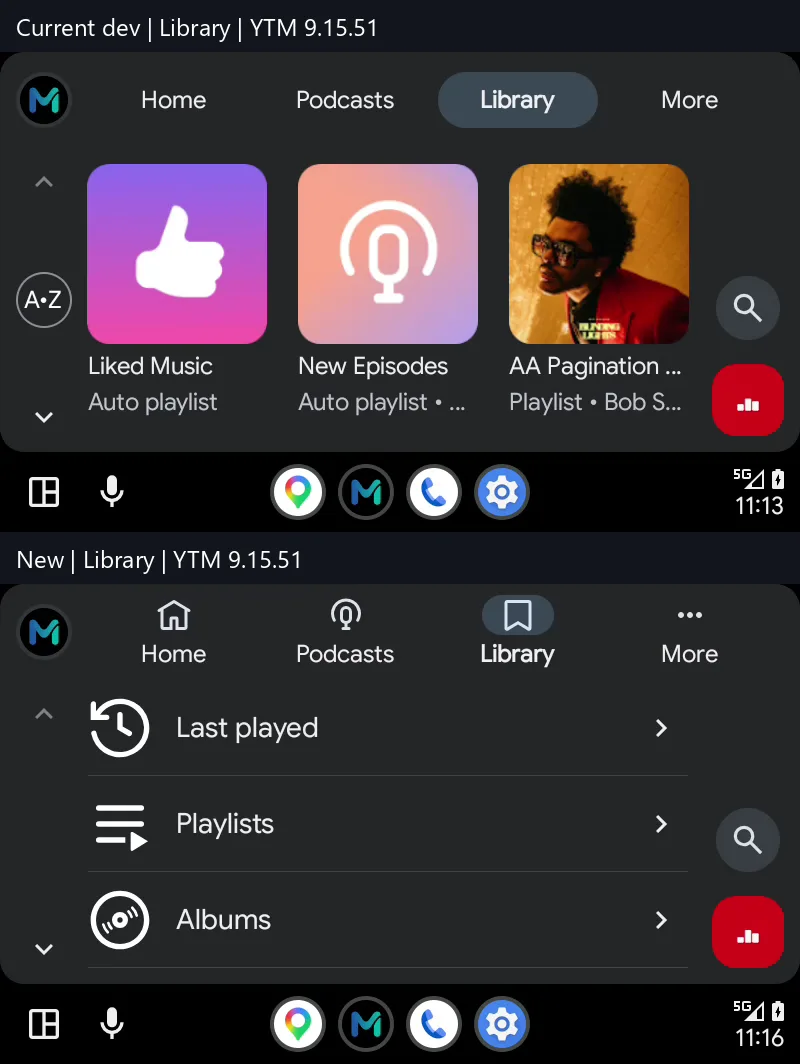
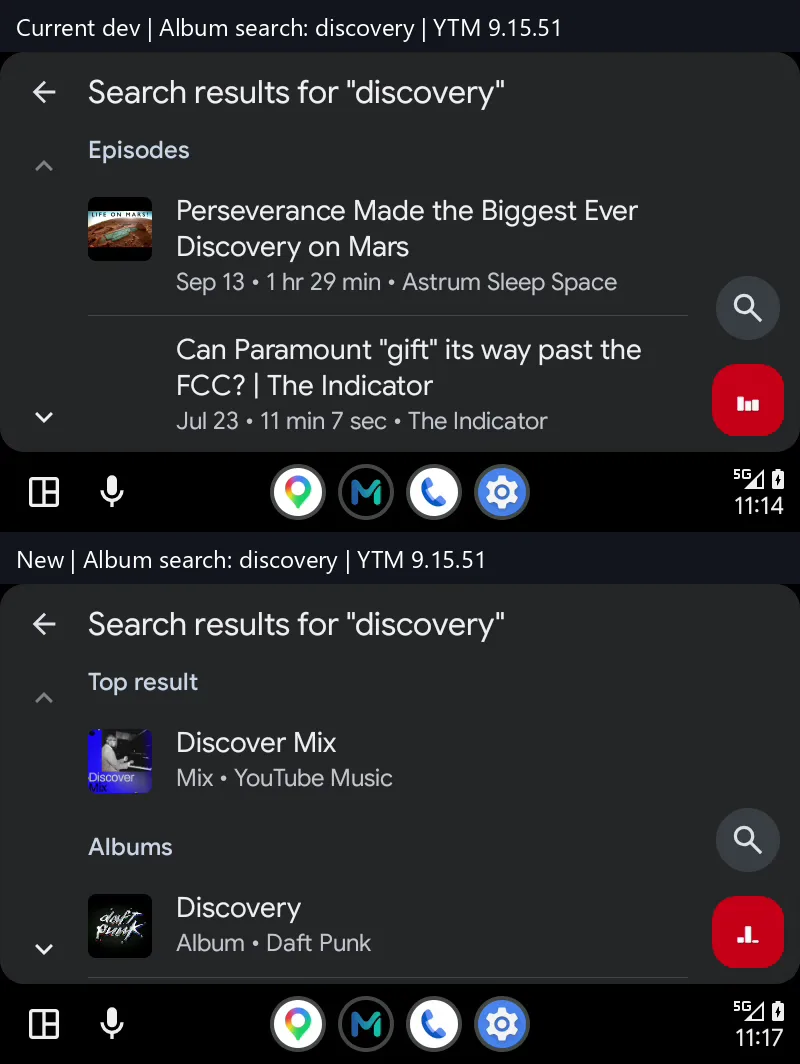
Screenshots: top = before, bottom = now. From morphe-patches #3852 by zappybiby.
Before vs now
| Stock, no Premium | Older mods (certificate bypass only) | ReVanced / Morphe YouTube Music | |
|---|---|---|---|
| Shows up in Android Auto | Yes | Yes | Yes |
| Play music | No — "Upgrade to Music Premium" | Limited | Yes |
| Home / Speed dial | Podcasts only | Podcasts only | Music + recommendations |
| Library | No | Partial | Playlists, albums, songs, artists, uploads, podcasts |
| Search | Podcasts | Partial | Music, uploads and podcasts |
Download
Morphe YouTube Music
The Morphe build of YouTube Music — same Android Auto Home, Library and Search.
Download Morphe YouTube MusicHow to set it up
- Install MicroG RE. Install MicroG RE so the patched app can sign in to your Google account without root.
- Install ReVanced or Morphe YouTube Music. Download and install ReVanced YouTube Music or Morphe YouTube Music from vanced.to, then sign in.
- Enable unknown sources in Android Auto. In Android Auto settings tap Version about ten times, open Developer settings and enable Unknown sources.
- Connect to your car. Plug in or connect wirelessly. YouTube Music appears in the Android Auto launcher with Home, Library, Podcasts and Search.
Already on an older ReVanced or Morphe YouTube Music build? Install the new one over it — your settings and sign-in stay.
Known limitations
- Playlist edits, likes and saved shows made on the phone take about 10–15 seconds to reach the car.
- A changed playlist cover may only appear after Android Auto restarts.
- A large Library loads a little slower than on Premium.
FAQ
Do I need root?
No. The non-root build works together with MicroG RE for your Google sign-in. Root users can use it too.
YouTube Music does not show up in Android Auto. What do I do?
Android Auto hides apps that were not installed from the Play Store. Turn on unknown sources once:
- Open Android Auto settings on your phone and tap Version about ten times until developer mode is enabled.
- Open the three-dot menu, choose Developer settings, and enable Unknown sources.
- Reconnect your phone to the car. YouTube Music appears in the launcher.
Which YouTube Music version should I use?
Use the version our build page offers — every build is patched against a YouTube Music version the patch supports (currently 9.20.53, with 9.15.51 also supported). Install it over any older ReVanced or Morphe YouTube Music build.
I edited a playlist on my phone, why is the car still showing the old one?
Library changes made on the phone take about 10–15 seconds to reach Android Auto, and a new playlist cover may only appear after Android Auto restarts. This is a known limitation of the patch.
Does search work in Android Auto?
Yes. Search covers music, your uploads and podcasts, with a top result, grouped categories (songs, albums, artists, playlists, episodes) and direct playback.
Read the full story on our blog: YouTube Music Android Auto gets Home, Library and Search.